
BESTVIEW

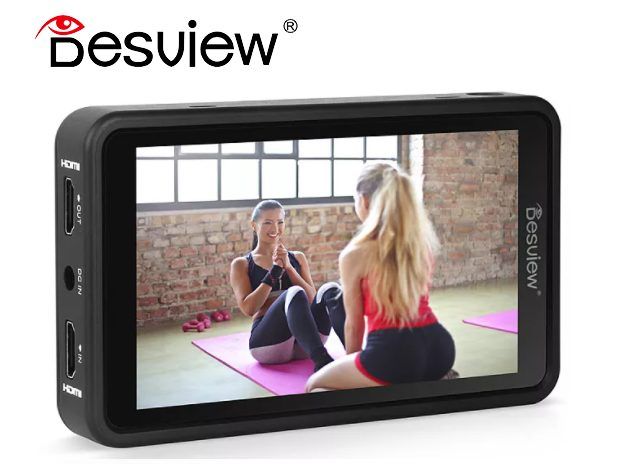
Bestview R5 5.5-inch 4K Touch HDR 3D LUT Monitor

Key specs

  • 5.5-inch touchscreen
  • Full HD 1920x1080
  • 4K HDMI input
  • HDR, 3D LUT
  • Affordable rental price

Rental price

250,000 VND/day

175,000 VND/session

Number of days
1
Subtotal (1 day)250,000 VND

Simple rental process

  • What to bring

    Your passport (or Vietnamese ID card) and a security deposit that depends on the gear.
  • Pickup & return

    Open 7:30 – 22:30 every day; pick up and return at times that suit you.

  • Pickup address

    132 Nguyễn Đức Trung - Thanh Khê - TP. Đà Nẵng Get directions →

  • Payment

    Pay at least 30% when you pick up. A half-day session costs 70% of the daily rate.

Read our rental policy →

Bestview R5 5.5-inch 4K Touch HDR 3D LUT Monitor – full details

Looking to rent a Bestview R5 5.5 inch monitor in Da Nang? The Bestview R5 is a 5.5-inch Full HD touchscreen monitor featuring 4K HDMI input, HDR support, and 3D LUT loading. Compact and touch-operated, it is well-suited for indoor shooting, studios, gimbals, and beginners using an external monitor. At Đà Thành Camera, the rental price is 250.000đ/day or 175.000đ/session.

Thuê màn hình monitor Bestview R5 5.5 inch tại Đà Nẵng

What is the Bestview R5 5.5 inch monitor used for?

  • Indoor shooting, studio: clear view and accurate colors.
  • Gimbal: lightweight and compact setup.
  • Log shooting: LUT application.
  • Interviews: easy frame monitoring.
  • YouTube: larger display than built-in camera screens.

Bestview R5 5.5 inch Specifications

  • Display size: 5.5 inch, touchscreen
  • Resolution: 1920x1080
  • Brightness: 450 nits
  • Contrast ratio: 1000:1, viewing angle 178°
  • Input: 4K HDMI
  • Audio: 3.5mm headphone jack
  • Power: DC 7–24V, power consumption under 9W

Built-in camera screens are often small, making focus check difficult and prone to glare outdoors. An external monitor like the Bestview R5 5.5 inch offers a larger and clearer view, helping check focus and accurate exposure, especially when the camera is mounted on a gimbal, held high, or positioned low. It also allows directors or clients to view the shot simultaneously.
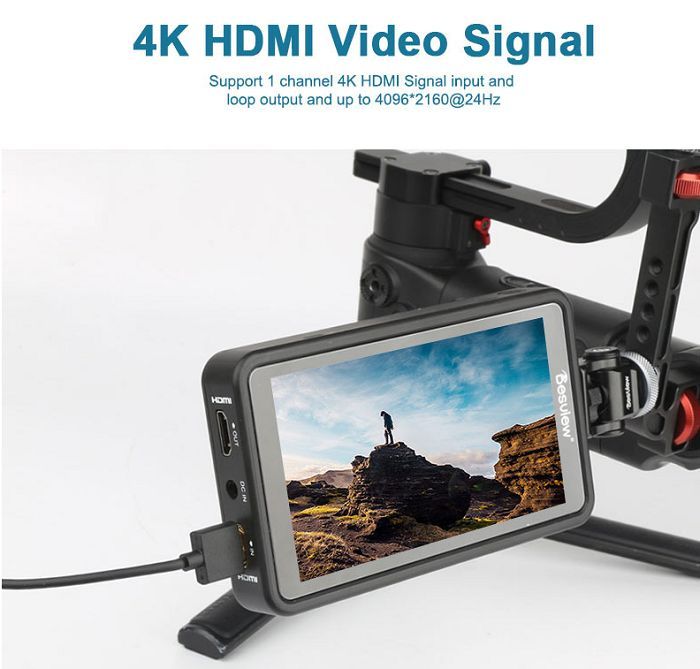
Màn hình monitor Bestview R5 5.5 inch cho thuê – Đà Thành Camera

Assistance Tools on the Bestview R5 5.5 inch Monitor

An external monitor is not only larger but also equipped with tools for precise shooting:

  • Focus peaking: highlights in-focus areas to make manual focusing easy.
  • False color, histogram: checks exposure to prevent blown-out highlights or crushed shadows.
  • LUT: previews Log footage with accurate colors in real-time while shooting.

What is included in the Bestview R5 5.5 inch Monitor rental kit

  • 01 Bestview R5 monitor
  • 01 hot shoe mount
  • 01 carrying pouch

How to Setup the Bestview R5 5.5 inch Monitor

  1. Mount an NP-F battery or connect an external power source to the monitor.
  2. Attach the monitor to the camera using a magic arm or hot shoe mount.
  3. Connect an HDMI or SDI cable from the camera to the monitor.
  4. Select LUTs, enable peaking, or turn on false color if needed.
  5. Adjust monitor brightness to match shooting conditions.
  6. Where is the Bestconvenient mounting position?

    Monitor placement depends on your shooting style:

    • On the camera hot shoe: convenient for handheld shooting and vlogs.
    • On a magic arm or gimbal handle: easy viewing when the camera is held high.
    • On a dedicated director's stand: combined with a wireless video transmitter.

    Who should rent the Bestview R5 5.5 inch monitor?

    • Ideal for: indoor shooting, beginners.
    • Ideal for: budget-friendly monitor needs.
    • Ideal for: indoor interviews using cameras like Sony A7 III and soft lights like Yongnuo YN900L II light.
    • Consider alternatives: for bright sunlight, choose a brighter monitor.

    Tips for Effectively Using the Bestview R5 5.5 inch Monitor

    • Fully charge NP-F batteries, and rent extra batteries for all-day shoots.
    • Use a magic arm to adjust the monitor angle flexibly.
    • Enable focus peaking when manual focusing.
    • Use false color to check skin tone exposure.
    • Use a sunhood when shooting at noon.
    • When shooting outdoors, increase monitor brightness and use a DIY black cardboard sunshade if needed for better visibility.
    • Position the monitor so both you and the director can view it, or use a wireless transmitter for a second display.

    Frequently Asked Questions When Renting the Bestview R5 5.5 inch Monitor

    How much does it cost to rent the Bestview R5 5.5 inch monitor in Da Nang?

    At Đà Thành Camera, the rental price is 250.000đ/day or 175.000đ/session. Multi-day rentals or package rentals with other equipment qualify for better rates; call 0345.878.879 for a quote.

    Is it usable under direct sunlight?

    The 450 nit brightness is suitable for indoor use; for outdoor sunlight, choose the Viltrox DC-550 Pro monitor.

    What kind of battery does it use?

    NP-F batteries such as the NP-F970 battery.

    Do you have a 7-inch monitor?

    Yes, the Lilliput H7S monitor.

    Rent the Bestview R5 5.5 inch Monitor at Đà Thành Camera Da Nang

    Equipment is cleaned, tested for functionality, and checked for complete accessories before handover. Upon pickup, you are encouraged to test it with your camera or lights and verify using the steps above. Contact 0345.878.879 or visit 132 Nguyễn Đức Trung, Thanh Khê, Đà Nẵng to book your reservation. Explore more filming accessories for rent, or bundle with filming accessories and cameras and camcorders.